

If you borrow on Aave or Morpho, you know the feeling. Prices move while you sleep. You wake up, open the app, and hope your loan is still healthy.
Starting today, you don’t have to check. DeFi Orbit checks for you.
How it works
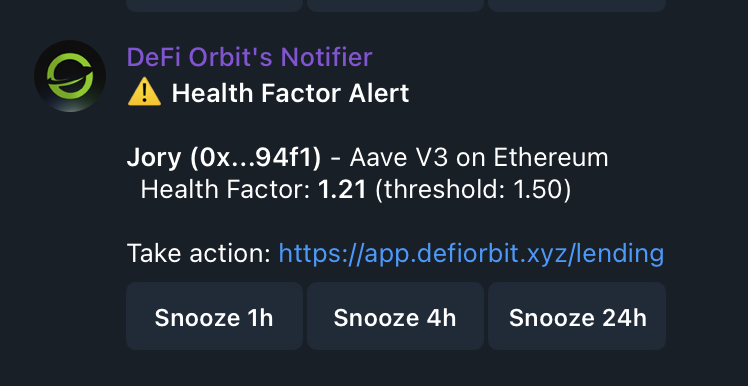
Every loan has a health factor. When it drops to 1.0, you get liquidated. You tell DeFi Orbit the number you care about, say 1.5, and the moment your loan crosses it, you get a Telegram message.
The message tells you which wallet, which protocol, which chain, your current health factor, and the threshold you set. One tap opens the app so you can add collateral or pay down the loan.
Not ready to deal with it? Snooze the alert for 1 hour, 4 hours or 24 hours.
It works both ways
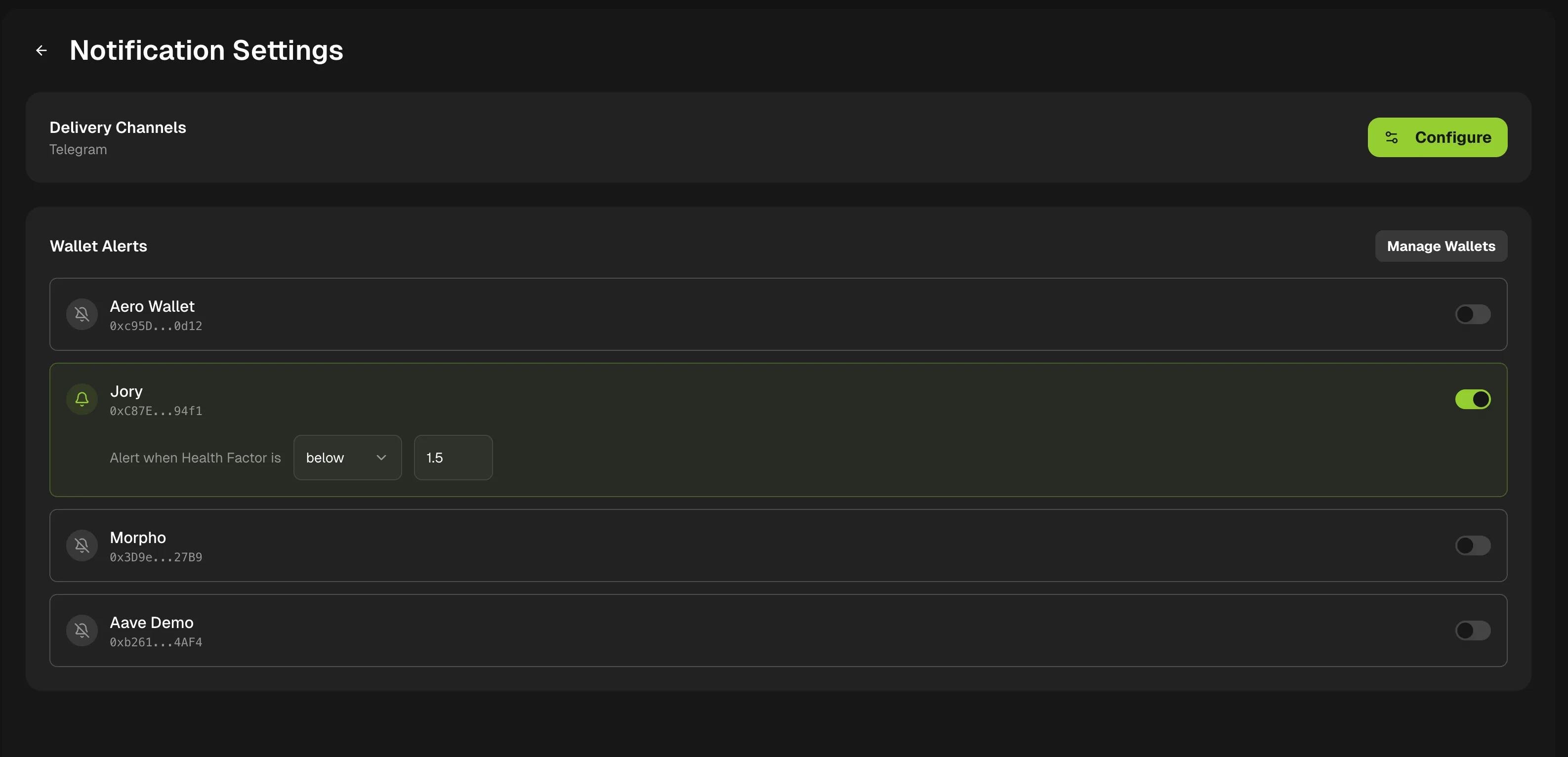
You can set an alert for when your health factor goes below a number or above a number. Below is for safety. Above is useful if you want to know when you have room to borrow more.
How to set up alerts
- 1Login into DeFi Orbit
- 2Click on your profile and then select “Notifications”
- 3Set your threshold
- 4Set your delivery channels
Protocols
Alerts work today for Aave and Morpho. More protocols are coming.
Who gets it
Real-time alerts are live now for Founding and Charter Members. Open the app, go to a lending position, and set your first threshold.
This was one of the most requested features from our beta users. Thank you for pushing us on it.
Davis Nunez
Founder, DeFi Orbit
